So, you're ready to launch or scale your online store with Shopify. Fantastic! But before you dive in, let’s talk numbers. Many entrepreneurs fixate on the monthly subscription fee, only to be surprised by a slew of other costs that can quietly eat into their profits. Understanding the full picture of Shopify pricing plans and hidden costs isn't just about budgeting; it's about choosing the right plan for your business stage and maximizing your margins.
Think of it like buying a car. You see the sticker price, but then you add on insurance, fuel, maintenance, and maybe a few optional upgrades. Shopify is similar. The monthly plan is just the starting line. Let's unmask those real expenses together, ensuring you make informed decisions every step of the way.
At a Glance: Your Shopify Cost Roadmap
- Beyond the Subscription: Shopify's true cost includes transaction fees, apps, hardware, and international charges.
- Shopify Payments is Key: Using Shopify's native payment processor typically waives additional transaction fees and offers better rates.
- Upgrading Can Save Money: Higher-tier plans have lower processing fees, making them cheaper at higher sales volumes.
- Apps Add Up: Most stores spend $50-$300/month on apps; unchecked usage can cost much more.
- International Selling Has Costs: Duties, taxes, and currency conversion fees can erode global margins.
- Start Lean, Scale Smart: Begin with the Basic plan and essential tools, then upgrade as your revenue justifies it.
Beyond the Monthly Fee: Deconstructing Shopify's True Cost
Before we break down each plan, it's critical to understand the two major fee types that will impact your bottom line: credit card processing fees and transaction fees.
- Credit Card Processing Fees: These are the charges levied by any payment processor (including Shopify Payments) to accept payments via credit card. They vary based on your Shopify plan, but typically include a percentage of the sale plus a small fixed amount per transaction. Think of it as the cost of doing business securely online.
- Transaction Fees: This is an additional percentage fee Shopify charges if you choose to use a third-party payment provider (like a separate PayPal, Stripe, or Afterpay gateway) instead of Shopify Payments. These fees compensate Shopify for providing the platform and checkout infrastructure, even when they’re not processing the card. The good news? These fees are completely waived if you use Shopify Payments.
Why Shopify Payments Matters
Shopify Payments streamlines your finances by integrating directly with your store. No redirects for customers, unified reporting, and access to features like Shop Pay for one-click purchases and local currency support. It consolidates all your online and in-person sales data, making financial management much simpler. For most merchants, it's the most cost-effective and convenient solution.
Shopify's Core Plans: Which Tier Fits Your Ambition?
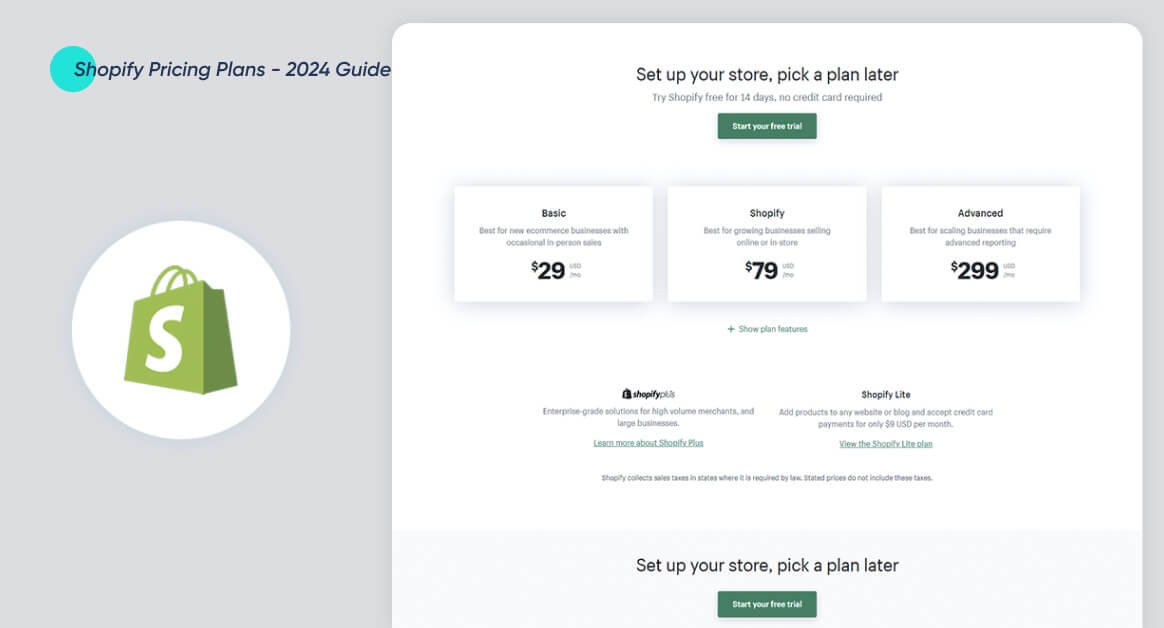
Shopify offers a tiered pricing structure designed to grow with your business. Each step up the ladder unlocks more features, lower transaction costs, and increased capacity. All pricing here is based on US rates with Shopify Payments, current as of late 2023/early 2024.
1. Starter Plan: Your First Dip into Ecommerce ($5/month)
Think of this as your digital storefront-lite. The Starter Plan is for dipping your toes in the water without building a full website.
- Best For: Creators, hobbyists, or small businesses wanting to sell products directly through social media (Instagram, TikTok, Facebook) or messaging apps (WhatsApp, Messenger). It's perfect for validating a product idea with minimal commitment.
- Key Features: Shopify's secure checkout, inventory management, basic order and payment tracking.
- Limitations: No dedicated online storefront, no theme editor, no blog, limited SEO features, no sales analytics, and minimal control over the user experience. You're leveraging existing platforms for your audience.
- Fees:
- Online (Shopify Payments): 2.9% + $0.30 per transaction.
- In-Person (Shopify Payments): 2.7%.
- Third-Party Payment Fee: A hefty 5% (on top of the third-party processor's fees). Stick with Shopify Payments here.
- Staff Accounts: 1
- Inventory Locations: 1
2. Basic Plan: Your Full Online Store's Debut ($39/month or $29/month annually)
This is where most new businesses begin their online journey, establishing a dedicated brand presence.
- Best For: Solo store owners, early-stage businesses launching a full online store, or those with sales under ~$30,000/month.
- Key Features: Everything needed for a complete online store—custom domains, access to themes (free and premium), blogging capabilities, discount codes, abandoned cart recovery, basic reporting, and free SSL certificate. Unlimited products, essential tax tools, and Shopify POS Lite for occasional in-person sales are also included.
- Fees:
- Online (Shopify Payments): 2.9% + $0.30 per transaction.
- In-Person (Shopify Payments): 2.6% + $0.10.
- Third-Party Payment Fee: 2%. (Again, use Shopify Payments to avoid this).
- Staff Accounts: 2
- Inventory Locations: Up to 10
- Shipping Discounts: Up to 77%
3. Grow (Shopify) Plan: Scaling Your Established Brand ($105/month or $79/month annually)
Formerly just "Shopify Plan," this tier is for businesses that have found product-market fit and are generating consistent revenue.
- Best For: Established ecommerce businesses with consistent sales between ~$30,000 and $150,000/month, or small teams needing more advanced tools. It offers the best value in this sales range due to lower transaction fees.
- Key Features: All Basic features, plus 5 staff accounts, standard reporting tools to track sales trends and customer behavior, shipping insurance, and improved access to Shopify Markets for international selling.
- Fees:
- Online (Shopify Payments): 2.7% + $0.30 per transaction.
- In-Person (Shopify Payments): 2.5% + $0.10.
- Third-Party Payment Fee: 1%.
- Staff Accounts: 5
- Inventory Locations: Up to 5 (Note: some older documentation may list 10, but 5 is current for new plans)
- Shipping Discounts: Up to 88%
4. Advanced Plan: Optimizing for High-Volume Growth ($399/month or $299/month annually)
The Advanced Plan is built for serious scaling, profit optimization, and complex global operations.
- Best For: Brands processing over ~$150,000/month in sales, those optimizing margins, selling extensively globally, or requiring sophisticated custom reporting and shipping calculations.
- Key Features: All Grow features, plus 15 staff accounts, highly customizable reporting, third-party calculated shipping rates at checkout (crucial for complex shipping needs), and enhanced international tax and duty control.
- Fees:
- Online (Shopify Payments): 2.5% + $0.30 per transaction.
- In-Person (Shopify Payments): 2.4% + $0.10.
- Third-Party Payment Fee: 0.5% – 0.6%.
- Staff Accounts: 15
- Inventory Locations: Up to 8
- Shipping Discounts: Up to 88%
When Shopify Grows with You: Enterprise Solutions for the Big Leagues
For brands with truly massive scale and unique operational needs, Shopify extends into enterprise-level offerings.
- Shopify Plus (From $2,300/month): This is Shopify's enterprise platform for high-volume, multi-region businesses. Plus offers multi-storefront support, B2B portals, a highly customizable checkout experience, priority support, higher API limits for complex integrations, and advanced automation tools like Launchpad, Scripts, and Flow. Contracts are typically 3 years and can include revenue-share components.
- Commerce Components (Custom Pricing): Designed for the world's largest global brands, Commerce Components is Shopify's modular, API-first platform. It's for companies with full development teams who need a headless commerce setup, providing maximum flexibility and customization. Pricing is usage-based, factoring in GMV, traffic, components used, and support levels.
Unmasking the "Hidden" Costs: Where Your Money Really Goes
Beyond the monthly subscription and payment processing, a range of other expenses contribute to your overall Shopify bill. Ignoring these can lead to unpleasant budget surprises.
1. Apps & Integrations: The Double-Edged Sword
Shopify's App Store is a treasure trove of tools that extend your store's functionality, from email marketing to inventory management.
Most stores find themselves spending $50–$300/month on apps for essential functions like reviews, email marketing, or advanced SEO. However, it's easy to fall into the "Frankenstore" trap—loading up on 20+ apps that slow down your site, create bugs, or have overlapping features. This can push your app spend to $300–$800+/month.
Pitfall to Avoid: App sprawl. Every app adds cost, potential site speed issues, and often monthly recurring fees.
2. Point of Sale (POS) Hardware & Software
If you sell in-person, even occasionally, POS costs come into play.
- Shopify POS Lite: Included free with all plans (except Starter). It's great for basic, occasional in-person sales at pop-ups, markets, or in your office.
- Shopify POS Pro: For serious brick-and-mortar retailers, this costs $89/month per location (though it's free with Shopify Plus). POS Pro unlocks advanced inventory management (like in-store stock levels), detailed staff permissions, and robust omnichannel reporting to unify your online and physical sales data.
- POS Hardware: These are one-time costs. You might spend $49 for a simple tap and chip reader, or up to $999 for a full kit (tablet stand, barcode scanner, receipt printer, cash drawer). Rental options are also available.
3. Your Brand's Address: The Domain Name
While Shopify provides a default .myshopify.com domain, a custom domain (yourbrand.com) is essential for professionalism and branding. Purchasing one through Shopify typically costs around $11–$14/year.
4. First Impressions Matter: Premium Themes
Shopify offers a selection of excellent free themes. However, many businesses opt for a premium theme to stand out, gain specific functionalities, or have more advanced design options. These are typically a one-time fee of $100–$300+. Factor this into your initial setup budget.
5. Going Global: International Fees & FX Spreads
Selling beyond your borders opens up a world of customers, but also new costs:
- Duties & Import Taxes (via Shopify Markets/Pro): If you use Shopify Markets to sell internationally, you can collect duties and import taxes at checkout. This service incurs a fee of 0.5–0.85% of the order total when using Shopify Payments, or 1.5% with a third-party payment provider. While an added cost, it dramatically reduces failed deliveries and customer support issues from unexpected charges.
- Currency Conversion (FX Spreads): When selling in one currency and getting paid in another (e.g., selling in CAD, but your bank account is USD), Shopify Payments typically charges a 1–1.5% FX spread. This quietly erodes your international margins if not accounted for.
6. The Unpleasant Surprises: Chargebacks & Refunds
- Chargebacks: These happen when a customer disputes a transaction with their bank. Payment processors typically charge $15–$25 per dispute, regardless of the outcome. High-risk product categories should model an extra 0.2–0.5% buffer into their cost estimates.
- Refunds: While processing a refund doesn't typically incur a new fee, the fixed portion of Shopify's transaction fee ($0.30) is often not refunded to you when a customer returns an item. This might seem small, but for businesses with high return rates, it adds up.
The Smart Shopper's Math: When Upgrading Saves You Money
One of the most valuable insights into Shopify pricing is understanding the "break-even" point. As your sales volume grows, the lower credit card processing rates on higher-tier plans can eventually save you more money than the increased monthly subscription cost.
Here's the math for US stores using Shopify Payments:
- Basic vs. Grow: The Grow plan ($79/month annually) becomes cheaper than the Basic plan ($29/month annually) if your store processes more than approximately $33,000/month in card volume. The 0.2% processing rate saving (2.9% on Basic vs. 2.7% on Grow) outweighs the $50/month plan difference ($79-$29).
- Grow vs. Advanced: The Advanced plan ($299/month annually) becomes cheaper than the Grow plan ($79/month annually) if your store processes more than approximately $147,000/month in card volume. The 0.2% processing rate saving (2.7% on Grow vs. 2.5% on Advanced) outweighs the $220/month plan difference ($299-$79).
Recommended Plan by Monthly GMV (Gross Merchandise Volume): - Under $30,000/month: Basic is generally optimal.
- $30,000 – $150,000/month: Grow offers the best value.
- Over $150,000/month: Advanced provides the most savings through reduced transaction fees.
Your Business Model, Your Plan: Tailoring Shopify to Your Niche
The ideal Shopify plan isn't just about your current revenue; it's also deeply tied to your business model and its specific needs.
- Print-on-Demand (POD):
- Characteristics: Often lower margins, lower average order value (AOV, typically $25–$40), and heavy reliance on apps for design and fulfillment.
- Recommendation: Start lean on the Basic plan. Upgrade to Grow when your sales reach $20,000–$30,000/month. The lower transaction fees and better reporting on Grow become crucial to protect your thin margins and gain insights.
- Dropshipping:
- Characteristics: Thin margins, low AOV, and higher refund/chargeback risk. App usage is also common for sourcing and automation.
- Recommendation: Begin with Basic. Consider upgrading to Grow at $20,000–$40,000/month in sales. The cost-effectiveness of Grow's lower fees and more robust reporting can help mitigate risk and improve profitability.
- High-Ticket DTC (e.g., Furniture, Jewelry):
- Characteristics: High AOV ($300–$1,000+), fewer orders overall. The fixed $0.30 fee per transaction is negligible here.
- Recommendation: While Basic might suffice initially, upgrade to Advanced at $100,000+/month in sales. The percentage-based savings on credit card rates will significantly optimize your already healthy margins.
- Retail + Online (Omnichannel):
- Characteristics: Multiple physical locations, numerous staff, and a critical need for unified data across channels.
- Recommendation: If you have multiple physical stores or many retail staff, the cost of Shopify POS Pro ($89/month per location) adds up quickly. Explore Shopify’s dedicated Retail plans or consider Shopify Plus for bundled POS Pro and advanced inventory features across locations. This is where Understanding Shopifys true worth for omnichannel businesses truly becomes apparent, as integration saves tremendous time and prevents data silos.
Smart Money Moves: Actionable Strategies to Optimize Your Shopify Spend
Now that you understand the landscape of Shopify pricing and its various costs, here’s how to proactively manage and optimize your spend.
1. Utilize Built-In Tools & AI First
Shopify's native features are constantly improving. Before rushing to the App Store, explore what's already available:
- Shopify Magic: AI-powered content generation for product descriptions, blog posts, and more.
- Shopify Email: A free (or very low-cost) email marketing solution integrated directly.
- Native Workflows & Automations: Many simple automations can be set up without third-party apps.
- Sidekick AI: Shopify's AI assistant can help with tasks and reporting.
By leveraging these first, you can significantly reduce the need for—and cost of—third-party apps, especially when starting out. If your app spend is consistently over $300/month, it's time for an audit.
2. Perform Quarterly App Audits
Every three months, dedicate time to review your app stack:
- Redundant Apps: Are two apps doing the same thing?
- Unused Apps: Did you install one for a specific promotion and never remove it?
- %-Revenue Apps: Are any apps charging a percentage of your sales that now exceeds a flat-fee alternative as your volume grows?
- Site Speed Impact: Are any apps significantly slowing down your store? (Use tools like Shopify's built-in speed report).
- App Consolidation: Can you achieve multiple functions with a single, more robust app?
Removing unnecessary apps not only saves money but also improves your store's performance and reduces potential conflicts.
3. Conduct Quarterly Shopify Bill Checkups
Treat your Shopify bill like a crucial financial document. Every quarter:
- Export Data: Pull 3 months of data including revenue, orders, fees, and app expenses.
- Recalculate Break-Even Points: Using your actual transaction volume, confirm if you're on the optimal plan based on the break-even math discussed earlier.
- Audit Your App Stack: (As above).
- Review Cross-Border Costs: If selling internationally, assess duty/tax collection fees and FX spreads.
- Decision Time: Based on your analysis, decide whether to upgrade, downgrade, or hold your current plan.
4. Start Lean
It's tempting to want all the bells and whistles from day one, but resistance is key. Begin with the Basic plan and only the absolute minimum, essential apps. As your sales volume grows and lower transaction fees or advanced features genuinely provide a net saving or unlock significant growth, then consider upgrading. This disciplined approach prevents overspending in the crucial early stages.
5. Leverage Promotions
Shopify frequently offers attractive promotions for new users, such as $1 for the first three months on any paid plan. Take advantage of these! They provide a low-risk testing period to set up your store, understand the platform, and start generating sales without a significant upfront monthly commitment.
Putting it All Together: Estimated Total Costs by Business Stage
Let's look at realistic monthly cost estimates, combining subscription fees, hidden costs, and payment processing for different business stages. These are illustrative and will vary based on your specific app choices, sales volume, and business model.
1. New Store: The Launchpad (Basic Plan)
- Shopify Basic Plan: $29–$39/month
- 2–3 Essential Apps: (e.g., reviews, basic email, simple SEO): $40–$70/month
- Theme: $0 (free) – $300 (one-time premium)
- Domain Name: $1–$2/year (recurring)
- Shopify Payments Fees: (Example: $5,000 in sales/month at 2.9% + $0.30/order for 100 orders = ~$175)
- Estimated Total Monthly (excluding one-time theme cost): ~$80–$150 + transaction fees
2. Mid-Stage Brand: The Growth Spurt (Grow Plan)
- Shopify Grow Plan: $79–$105/month
- 5–8 Apps: (e.g., advanced email/SMS, loyalty, upsell, shipping tool): $100–$300/month
- POS Pro: (1 device, if applicable): $89/month
- Email/SMS Stack: (separate from basic app): $50–$100/month
- Shopify Payments Fees: (Example: $50,000 in sales/month at 2.7% + $0.30/order for 500 orders = ~$1500)
- Estimated Total Monthly: ~$300–$700 + transaction fees
3. Scaling Brand: The Enterprise-Ready (Advanced Plan)
- Shopify Advanced Plan: $299–$399/month
- 10–15 Apps: (e.g., advanced analytics, custom reporting, complex fulfillment): $300–$800/month
- Multi-Store POS Pro: (2-3 devices): $178–$267/month
- International Fees: (duty/tax collection, FX spread, estimated): 0.5–0.85% of international sales
- Shopify Payments Fees: (Example: $200,000 in sales/month at 2.5% + $0.30/order for 2000 orders = ~$5,060)
- Estimated Total Monthly: $1,000–$2,000+ (before ad spend, cost of goods, or operational salaries)
Initial Startup Costs (Excluding Monthly Subscriptions)
When just getting started, expect to initially spend $300–$600 on setup essentials. This typically covers:
- A custom domain name
- A premium theme (if you opt for one)
- Initial setup costs for 1-2 essential apps
This initial investment is generally quite competitive, often more economical than starting with platforms like BigCommerce (where initial costs might run $800-$1000+) or a self-hosted WooCommerce setup (which could be $500-$1000+ including hosting, premium plugins, and theme). Shopify’s relatively low barrier to entry for a robust platform is a significant advantage.
Don't Get Caught Off Guard: The Path to Profitable Growth
Understanding Shopify's pricing goes far beyond the advertised monthly fee. By anticipating transaction fees, app expenses, POS needs, international charges, and managing potential chargebacks, you gain a powerful advantage. This knowledge empowers you to select the right plan, optimize your spending, and forecast your profitability with far greater accuracy.
Your mission now is to consistently audit your costs, leverage Shopify's built-in tools, and let your business’s actual sales volume guide your plan upgrades. This proactive approach ensures that Shopify remains a powerful engine for your growth, not a hidden drain on your budget.